Category:
guides
Wireless carriers in the US at least have cracked down on their users by disabling the Wireless Tether for Root applicaiton in the Android Market. If you have a phone by Verizon, AT&T, or T-Mobile, chances are that you will not be able to download and install the Wireless Tether app to your phone. On [...]
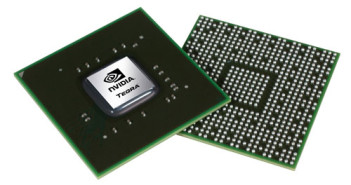
With the explosion of Android phones on the market these days it can be hard to keep the various SoCs, CPUs, GPUs, and model numbers straight. If you are in the market for a new Android phone or just want to keep up to date on the latest technology look no further. In this article [...]
One of the more helpful discoveries I have run across lately is the ability to place system shortcuts on the home screen. Instead of toggling through a whole bunch of different menus, adding shortcuts allows to you quick access to change specific settings. This ability comes in handy when toggling wifi or bluetooth connections or [...]
With ADW Launcher or LauncherPro there is sometimes a long redraw lag when going back to your home screen from another app. You expect to see your icons and widgets but instead you are presented with an empty screen containing only your dock and wallpaper. Eventually the home screen will correctly redraw but this lag [...]
If you store music on your Android device that contains album covers you have probably noticed that the gallery application will display these images alongside your other photos. If you have a large collection of music, your photos can quickly get lost among the cover images. Luckily there is a good solution to this problem. [...]
In certain cases Android has a problem synchronizing your Google contact pictures with the corresponding friends on Facebook. This seems to happen regularly when you add new contacts to Google, or new Facebook friends that may already be contacts in your Google account. Simply forcing both your Google account and your Facebook account to re-sync [...]
Many websites provide a mobile version which can be helpful if you happen to be using a mobile device that couldn’t otherwise access the internet. Todays Android devices are basically small computers with large screens and more powerful browsers that don’t have a need for a watered-down mobile version. Instead, the full desktop version is [...]
On Android creating a new ringtone from any audio file is fairly straightforward but adding a notification tone is not. To add a custom tone do the following. 1. Create a “notifications” directory at the root of your sdcard. You can do this with Astro or by connecting your Android phone to your PC over [...]
When the next Android 2.2 release (Froyo) is eventually released it will be packing USB tethering by default. What is tethering you ask? Basically it allows your phone to act as a modem and share its wireless data connection with a laptop. The bad news is that even after it is released you will have [...]
Streaming all your music and podcasts wirelessly over Bluetooth from your Android phone to your car stereo is very handy as well as pretty amazing. But if your car doesn’t support Bluetooth devices there are a couple things you can do to have the same experience and stay untethered. A little background first. The Android [...]